DEMOS: applying patches on the back
We are currently updating our support articles and some info may be outdated. Read release notes here.
Preparing the patch#
- Open the bag containing the patch.
- At number (1) there is a small pocket where the sensor should be placed. It is IMPORTANT that the green label faces up towards the curved side of the pocket, so you can faintly see it through the patch mesh, as shown in the image.
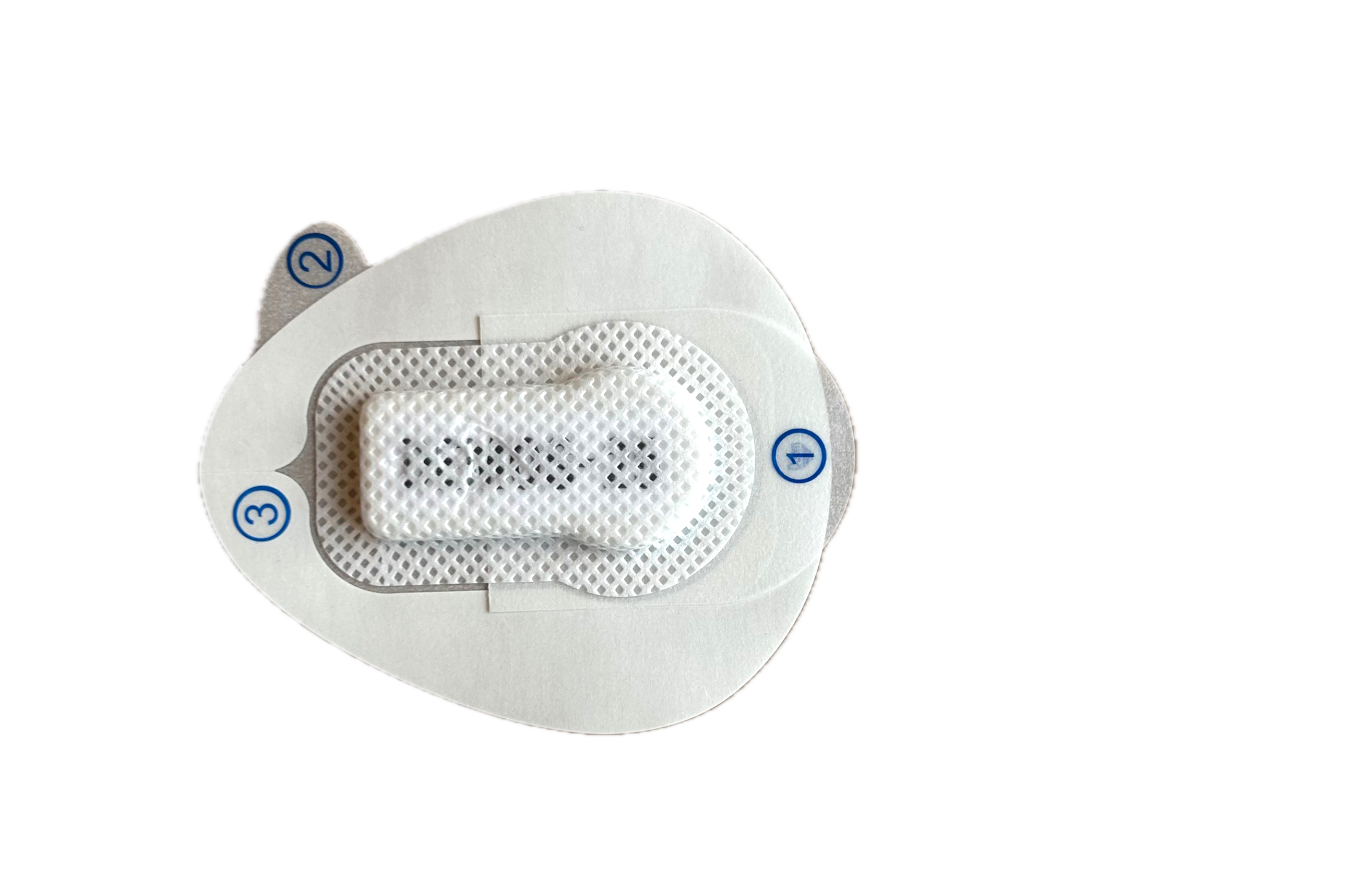
- Then remove the paper part at (1) and press down around the sides of the sensor so it adheres firmly in the “pocket”.
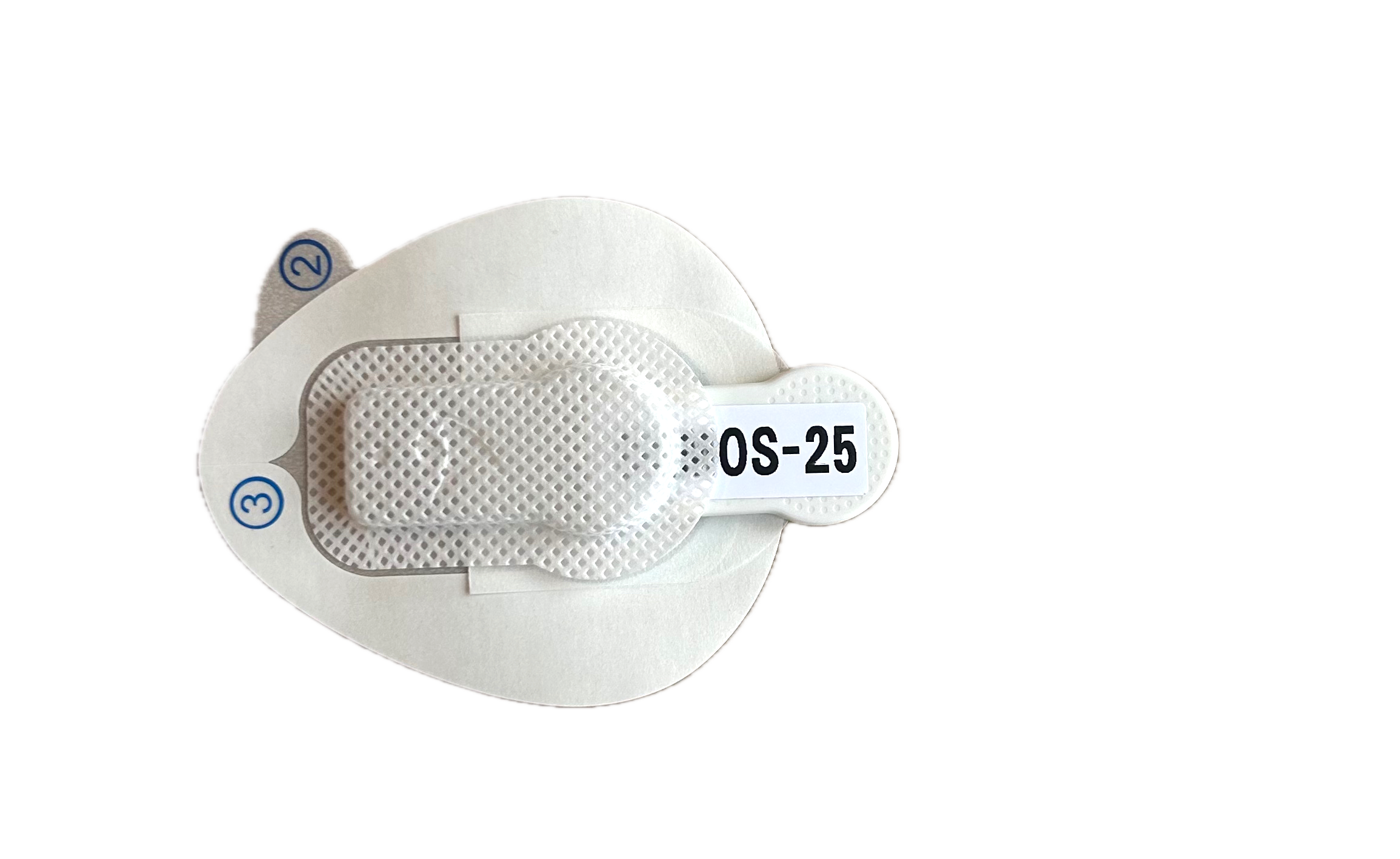
- The patch is now ready to be applied.
Applying the patch#
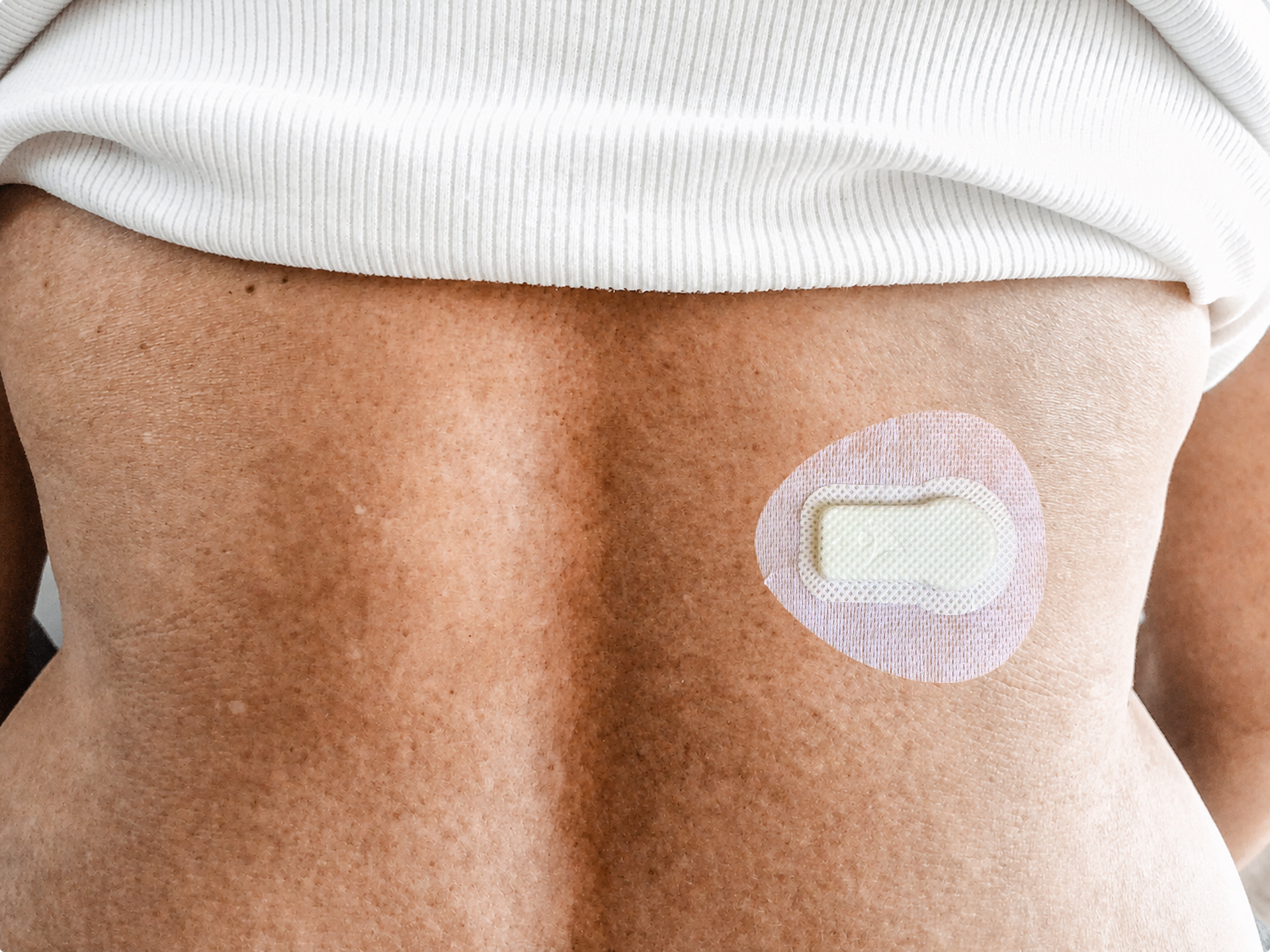
- The patch should be placed approximately in the middle of the back, on either the right or left side. It is IMPORTANT that the patch is placed so the round part of the sensor points to the right. See the image below.
- Then remove the foil on the back at (2).
- Here you can again see that the sensor is oriented correctly if you can faintly see the green DEMOS label through the patch mesh. If the patch is not oriented correctly, the data will not be usable.
- Make sure to press around the patch so it adheres well.
- Then remove the foil on the front at (3) while holding the transparent patch underneath, and press firmly again.
- The patch lasts 7–10 days; when needed, apply a new patch with the sensor.