
Change of patch
Background#
The patch is worn discreetly on the thigh, 24 hours a day. The patch is recommended to be replaced within 14 days. If redness or irritation occurs during use, remove the patch immediately as instructed. Should the patch fall off or lift at the edges, simply change the patch.
Guide to remove patch after use#
When removing the patch, it is recommended to place one hand against the skin to provide support for the skin while the patch is gently pulled off along the leg. Do not pull away from the skin, but instead pull along the skin. To ease removal, it is recommended to use a skin lotion to help loosen the adhesive. The patch typically begins to loosen itself after 10–14 days.
Video guide for patch removal:
Wear gloves when handling used sensors.
After use, patch material is removed from the sensor and the sensor is cleaned for reuse.
Note: Carefully remove patch material from the sensor, especially around the ID label. If necessary, keep a finger on the label while removing patch material. Should the label fall off, write down the ID and put the sensor with the note aside.
Plastic material is not reusable and is disposed of as normal waste.
Guide to attachment of new sensor patch#
First, the sensor and the patch are assembled, then it is placed on the patient’s leg.
You will need a cleaning wipe, your sensor and a sensor patch.
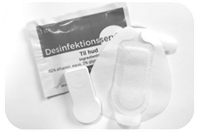
Place the sensor inside the patch pocket with the SENS motion logo facing upwards. Pull off the bottom piece of plastic so that the sensor and patch can be pressed firmly together.
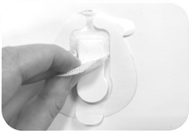
Securely fasten the patch around the sensor.
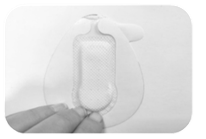
Clean the skin where the patch should be placed.
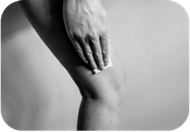
Remove the backing.
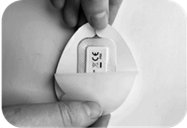
Put the patch on the thigh when the skin is dry. The round part of the sensor should face down towards the knee.
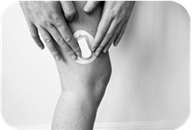
Remove the white border.
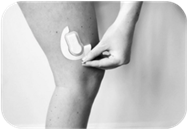
The patch and the sensor are now applied.
For more information on how to apply the patch, go to How to place the sensor or watch the following video (note that the content of the video is in Danish):