
Turn the sensor on/off
Background#
Each sensor can be in different ‘states’. In order for the sensor to be turned on and ready for monitoring, the sensor must first be turned on and be synced with the SENS motion app.
The sensor overview clearly displays both the current sensor state and any pending actions.
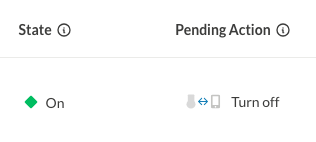
- Sensor State shows what the sensor is currently doing (on, off, etc.) based on the last time it connected to the SENS motion app.
- Pending Action shows any requested action (like “turn on” or “turn off”) that is waiting for the sensor to connect to the SENS motion app.
This dual display helps you understand both the current status and what will happen next when the sensor syncs with the SENS motion app. Check the sensor state column to see current status, and the pending action column to see what’s queued.
Pending actions will be completed automatically when the sensor connects to the participant’s mobile app.
- We estimate how long a sensor’s battery should last (default about 120 days).
- We track how long it has been running and when it was last seen. If it’s still running, time since last seen is counted against the battery.
- If we have a recent voltage reading, we adjust the remaining days based on voltage thresholds. This is so we can get a more realistic estimate, in case something has happened to the battery. Very low voltage forces the remaining days to near-zero; normal voltage leaves the estimate as-is.
- If the sensor hasn’t been seen in a very long time (years) or has run far beyond its expected lifetime, we show “Battery expired” in UI.
- If the battery data is older than 10 days, we determine voltage is “unknown.”, and only show the estimated days left (not the voltage) in the UI.
How to turn on the sensor#
You can either turn the sensors on, one by one or in bulk. See both ways below.
- Log on to https://app.sens.dk/m/login
Turn on sensors one by one:#
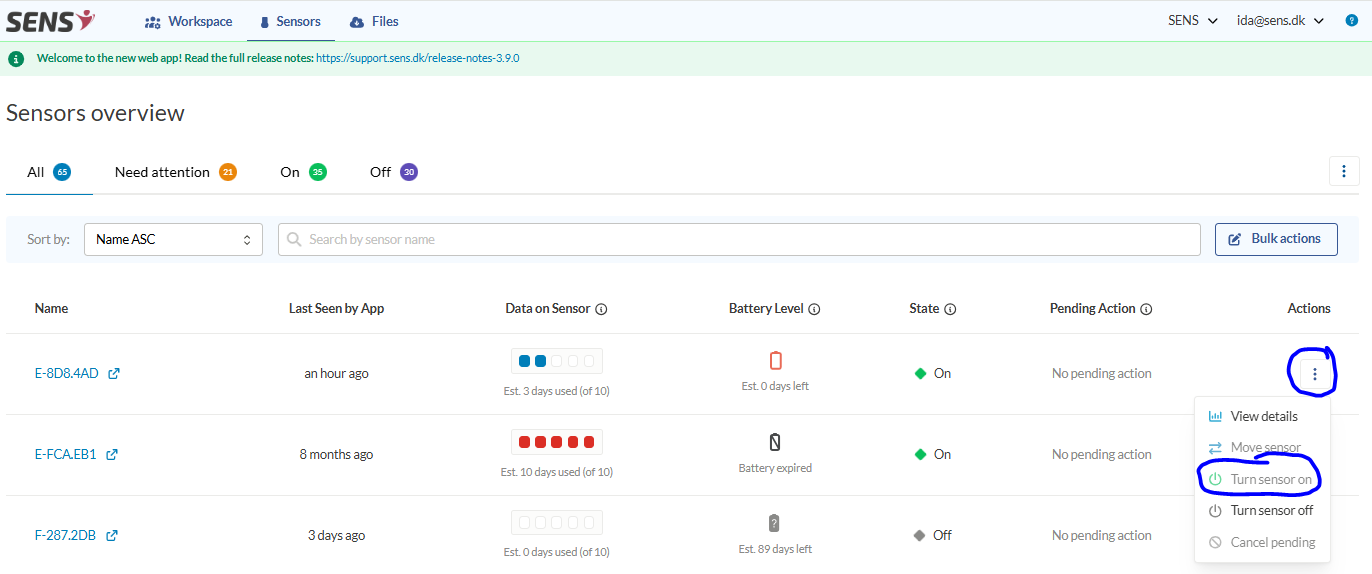
- Enter the “Sensors” tab, click the three dots on the far right and click “Turn sensor on”:
Turn on several sensors at once (bulk):#
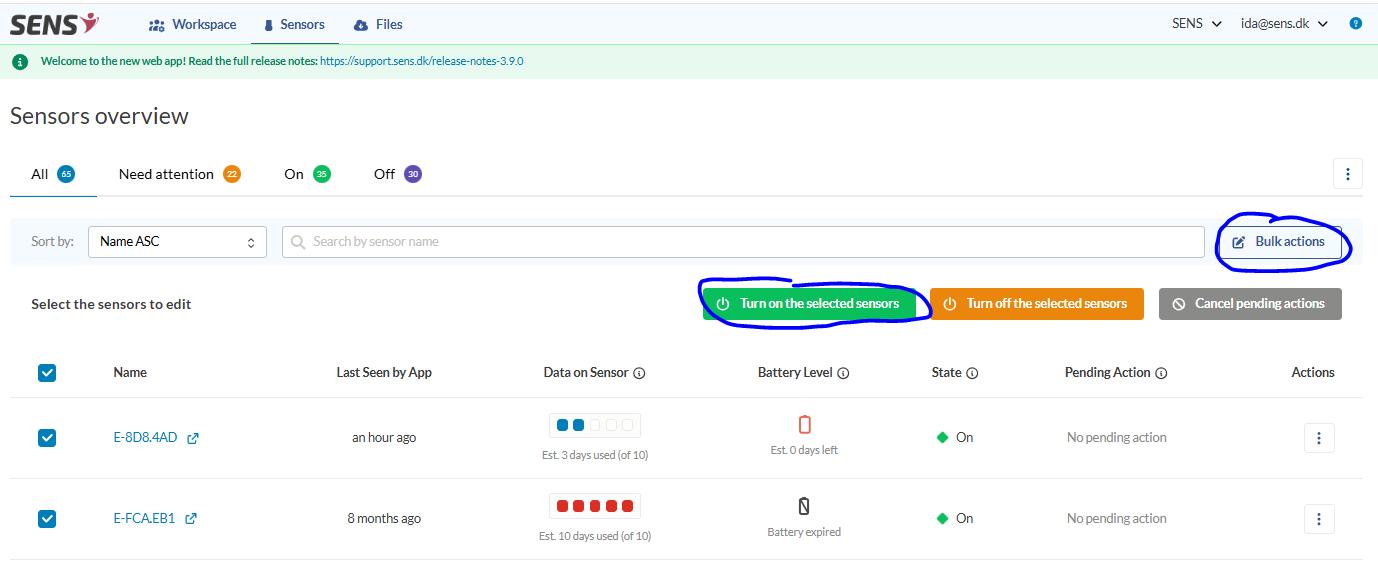
- Click “Bulk actions”, and select the sensors you want to turn on, followed by clicking “Turn on the selected sensors”:
- The sensors will change under “Pending action” to:

- Open the SENS motion app on your mobile/tablet (accept bluetooth and location services when you download first time):
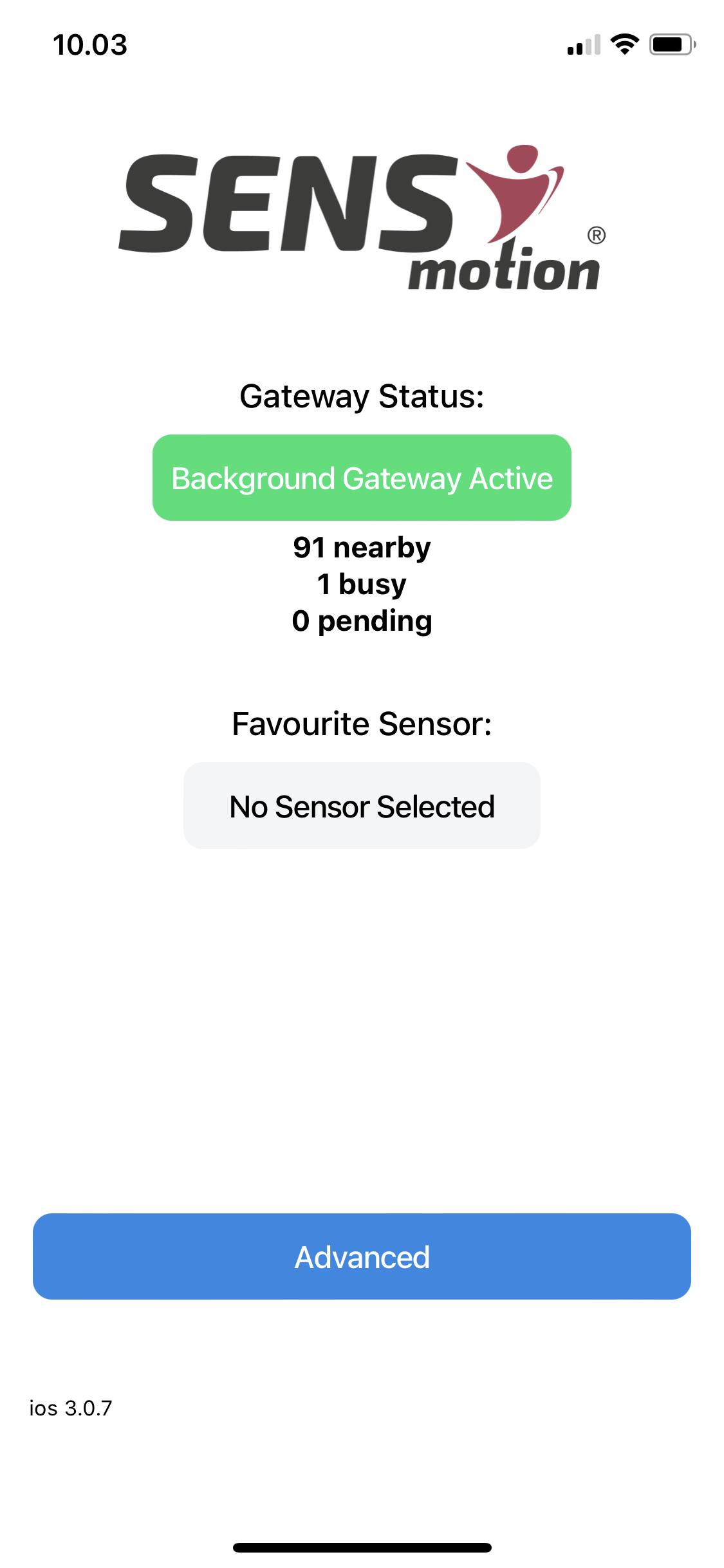
Shake the sensor a few times to activate the accelerometer to connect the sensor with the SENS motion app.
Check on the website if the status has changed to “On”:

To turn off the sensors, it is exactly the same procedure, but by clicking “Turn sensor off” instead.
To save battery life time, it is important to turn off the sensors after use.